---
title: 'Post with an image'
description: "We can use Markdown, Nunjucks shortcodes or pure HTML to add images to posts and pages."
date: 2025-01-09
tags: ['image', 'feature']
---
Using the powerful [Eleventy Image plugin](https://www.11ty.dev/docs/plugins/image/), we have three ways to optimize images: HTML Transform, Markdown syntax, and Nunjucks shortcodes.
## HTML Transform
Transforms any `` or `` tags in HTML files as a post-processing step. Find the default settings directly in `eleventy.config.js`.
```html
```
We can pass in overrides for every instance and use attributes. By default all images are set to be lazy loaded, but we can override this by directly setting `loading="eager"` and `decoding="sync" `on the `` element.
Another thing to note is the `widths: ['auto']` setting, which by default only includes the original size image. We can set the dedicated `widths` to be used by adding `eleventy:widths="800,1200"` on the element. For images with [Markdown syntax](/blog/post-with-an-image/#markdown-syntax), I set fixed `widths` so we don't need to set a value on every instance.
`sizes` defaults to `auto`, which is applied to all lazy loading images. For eager-loading images, the value is equivalent to `100vw` See: https://github.com/whatwg/html/pull/8008. We can _still_ overwrite this, by setting the `sizes` attribute directly on the `` element, with something specific like `sizes="(max-width: 615px) 50vw, 100vw"`.
```html
```
**Extra benefit:** we can use both relative and absolute image sources.
One downside is that it comes with a higher build cost due to the post-processing step.
More info: https://www.11ty.dev/docs/plugins/image/#html-transform
## Markdown syntax
This also uses [Image HTML Transform ](https://www.11ty.dev/docs/plugins/image/#html-transform).
The markdown sytnax for images creates the `` element the plugin is looking for, and then transforms it to the `` element (if more than one format is set).
In `src/_config/plugins/markdown.js` I customized the Markdown rendering for images slightly. What normally would become a `title` attribute is used to create the caption (`` within a `` element). Note that I set a fixed `widths` value instead of `auto` as the default.
```markdown

 'I used a portrait lens for this one'
```

We can also add custom attributes here ([Kudos to Aleksandr](https://www.aleksandrhovhannisyan.com/blog/eleventy-image-transform/)), to overwrite the default `widths`, have the image eagerly loaded, or add a `class` attribute, etc.
```markdown
{attrs}
{loading="eager" decoding="sync" eleventy:widths="400" class="grayscale"}
```
{loading="eager" decoding="sync" eleventy:widths="400" class="grayscale"}
## Nunjucks shortcodes
### Positional parameters Shortcode
The positional parameters shortcode is the legacy approach and requires the arguments to be **passed in the correct order**.
The most basic version contains only the path to the image.
{% raw %}
```jinja2
{% image "path to image" %}
```
{% endraw %}
All skipped parameters are set to their default values: an empty string if no `alt` text is passed, `loading = 'lazy'`, the `` element gets its set of images from the default `widths=[650,960,1400]` and compares to a condition of `sizes="auto"`, formats are `['avif', 'webp', 'jpeg']`.
We can pass in manually all the conditions, and add `null` to skip. The arguments include classes for the outer container ( `` or `` element), and for the `` element.
{% raw %}
```jinja2
{% image "path to image", "alt text", "caption text", "eager", "container class names", "img class names", [200, 400], "(min-width:30em) 50vw, 100vw", ['webp', 'jpeg'] %}
{% image "path to image", "alt text", null, "eager" %}
```
{% endraw %}
{% image "/assets/images/gallery/asturias-3.jpg", "A traditional Asturian village with it's raised granaries, surrounded by lush green hills and mountains", "An example for the positional parameters shortcode.", "lazy", "text-center", "grayscale", [200, 400], "(min-width:30em) 50vw, 100vw", ['webp', 'jpeg'] %}
**Example:** predefine `widths` and `sizes` using Nunjuck's `set` tag or front matter fields, and dynamically get the image path, like I do in the "[Built with](/blog/built-with/)" template.
{% raw %}
```jinja2
{% set widths = [400, 520] %}
{% set sizes = '(max-width: 615px) 50vw, 100vw' %}
{% image "/assets/images/screenshots/" + site.filename + ".jpg", site.name, null, "lazy", null, null, widths, sizes %}
```
{% endraw %}
### Named Parameters Shortcode
Remembering the order of the arguments is a bit of a pain, so I added a second shortcode: `imageKeys`.
This shortcode allows us to specify parameters in any order or only include the ones we need to customize. We need to pass the parameters as a `JSON` object with the key-value pairs.
{% raw %}
```jinja2
{% imageKeys {
"src": "/assets/images/gallery/asturias-3.jpg",
"alt": "A traditional Asturian village with it's raised granaries, surrounded by lush green hills and mountains",
"caption": "An example for the named parameters shortcode.",
"loading": "lazy",
"containerClass": "text-center",
"imageClass": "grayscale",
"widths": [200, 400],
"sizes": "(min-width:30em) 50vw, 100vw",
"formats": ["webp", "jpeg"]
} %}
```
{% endraw %}
{% imageKeys {
"src": "/assets/images/gallery/asturias-3.jpg",
"alt": "A traditional Asturian village with it's raised granaries, surrounded by lush green hills and mountains",
"caption": "An example for the named parameters shortcode.",
"loading": "lazy",
"containerClass": "text-center",
"imageClass": "grayscale",
"widths": [200, 400],
"sizes": "(min-width:30em) 50vw, 100vw",
"formats": ["webp", "jpeg"]
} %}
**Example:** if we only need to customize `alt` text and `sizes`:
{% raw %}
```jinja2
{% imageKeys {
"sizes": '(min-width:30em) 50vw, 100vw',
"alt": "A traditional Asturian village with it's raised granaries, surrounded by lush green hills and mountains",
"src": "/assets/images/photo.jpg"
} %}
```
{% endraw %}
The shortcodes are defined in `src/_config/shortcodes/image.js`. They also set `slot="image"` on their container element, so they can be used with any WebC component that contains a ``, see `src/_includes/webc/custom-card.web` for example.
Since we are using them alongside the Image HTML Transform method, the shortcodes add `eleventy:ignore` to the `` attributes so the images aren’t processed twice.
## Comparing Shortcode and HTML Transform
The shortcode can be much terser than the HTML syntax, while the HTML syntax is more readable and has a well known structure.
**These two approaches produce (almost) the same output:**
{% raw %}
```jinja2
{% image image, alt or "", credit, "eager", "feature", "grayscale" %}
{% if credit %}
{{ credit }}
{% endif %}
```
{% endraw %}
{% set image = '/assets/images/gallery/asturias-1.jpg' %}
{% set alt = 'A picturesque valley showcasing majestic mountains and lush forests, creating a serene and captivating landscape' %}
{% set credits = ['Example image using the positional shortcode', 'Example image using the HTML syntax'] %}
{% for credit in credits %}
{% if loop.index == 1 %}
{% image image, alt or "", credit, "eager", "feature", "grayscale" %}
{% else %}
{% if credit %}
{{ credit }}
{% endif %}
{% endif %}
{% endfor %}
More:
- https://www.11ty.dev/docs/plugins/image/
- https://www.youtube.com/watch?v=e0OHgC677ec
- https://www.aleksandrhovhannisyan.com/blog/eleventy-image-transform/
- https://coryd.dev/posts/2024/setting-up-image-transforms-in-eleventy

 ```
We can pass in overrides for every instance and use attributes. By default all images are set to be lazy loaded, but we can override this by directly setting `loading="eager"` and `decoding="sync" `on the `
```
We can pass in overrides for every instance and use attributes. By default all images are set to be lazy loaded, but we can override this by directly setting `loading="eager"` and `decoding="sync" `on the `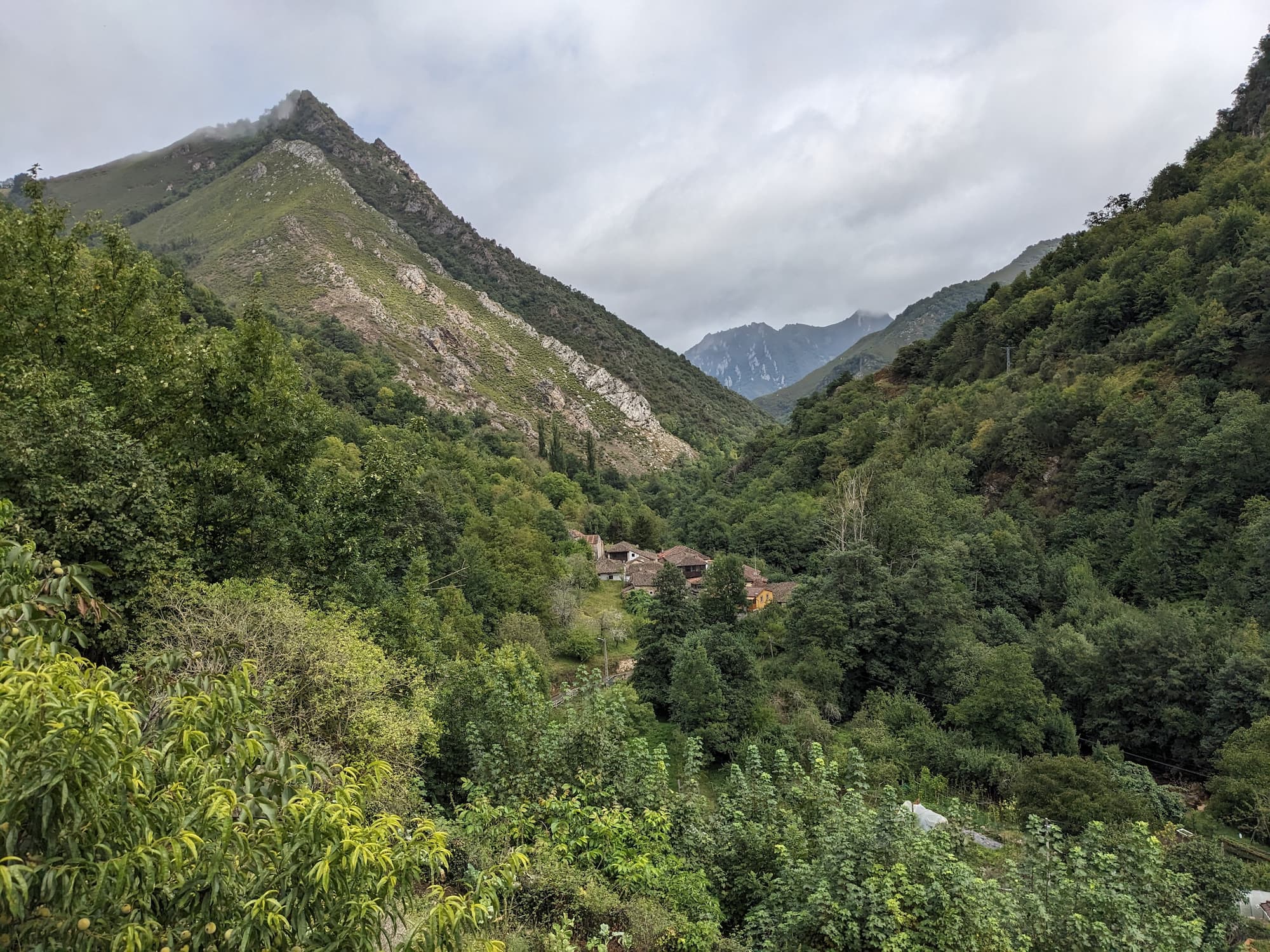 **Extra benefit:** we can use both relative and absolute image sources.
One downside is that it comes with a higher build cost due to the post-processing step.
More info: https://www.11ty.dev/docs/plugins/image/#html-transform
## Markdown syntax
This also uses [Image HTML Transform ](https://www.11ty.dev/docs/plugins/image/#html-transform).
The markdown sytnax for images creates the `
**Extra benefit:** we can use both relative and absolute image sources.
One downside is that it comes with a higher build cost due to the post-processing step.
More info: https://www.11ty.dev/docs/plugins/image/#html-transform
## Markdown syntax
This also uses [Image HTML Transform ](https://www.11ty.dev/docs/plugins/image/#html-transform).
The markdown sytnax for images creates the `